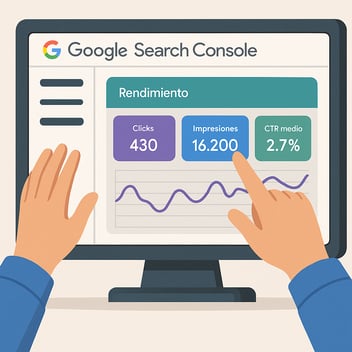


Google Ads optimization is the ongoing work of improving your campaigns so each dollar produces more leads or sales. The fastest gains come from tighter keywords, better ad copy, a focused landing page, and tracking that connects clicks to revenue.
Google Ads is Google's paid advertising platform. You bid to show ads on Search, Maps, YouTube, and partner sites, and you pay when people interact with them.
Key takeaways
- Structure campaigns by product or service, and ad groups by closely related keywords.
- Add negative keywords weekly to stop paying for irrelevant clicks.
- Match ad copy and landing page to the search query.
- Track conversions and, ideally, revenue in your CRM, not only clicks.
- Pause what does not work and move budget to what does.
How Google Ads works
Your account has three main layers. Understanding them makes every later change easier.
- Campaigns: one per product, service, or goal, each with its own budget and settings.
- Ad groups: sets of closely related keywords that share ads. For example, "sneakers" and "leather shoes" can sit in separate groups so each ad matches its query.
- Ads: the text and assets people see. They should match what people searched and lead to a relevant page.
Unlike print or billboards, you can see clicks, conversions, and cost per result, then change your ads in minutes.
7 ways to optimize your Google Ads campaigns
- Define one clear goal per campaign. Decide whether you want calls, form fills, or purchases, and set that as the conversion action.
- Tighten your keywords. Prioritize terms that show buying intent. Use exact and phrase match for control, and review the search terms report often.
- Add negative keywords. Block terms like "free", "jobs", or "DIY" when they do not fit your offer.
- Write ads that mirror the search. Include the keyword, a clear benefit, and a specific call to action. Test at least two variations.
- Fix the landing page. Send each ad group to a page about that exact offer, with a fast load time and a short form.
- Set up proper conversion tracking. Track form submissions and calls, and import them into your CRM so you can see which campaigns create customers.
- Adjust budgets and bids weekly. Move spend from weak campaigns to strong ones, and pause what stays unprofitable.
A worked example with hypothetical numbers
The figures below are invented to show the logic. They are not benchmarks. Imagine a business running one campaign for a single service at $1,500 per month. A search terms review finds that a large share of clicks come from queries like "free template" and "jobs." Those visitors never become customers.
The team does four things in order:
- Adds those words as negative keywords.
- Splits the single ad group into two themes, so each ad matches its query.
- Moves traffic from the homepage to a page about that exact service with a short form.
- Imports form submissions into the CRM, tagged by campaign and keyword.
A month later, the same budget is reaching more relevant searches. The CRM shows which keywords lead to qualified leads and which only produce form fills. The team shifts spend toward the first group and pauses the second. Nothing about the budget changed, only where it goes.
Common Google Ads mistakes
| Mistake | Why it hurts | Fix |
|---|---|---|
| Broad keywords with no negatives | Spend goes to irrelevant searches | Review search terms weekly |
| One ad group for everything | Ads do not match the query | Split into tight themes |
| Sending traffic to the homepage | Visitors cannot find the offer | Use a dedicated landing page |
| Tracking clicks only | You cannot tell what makes money | Track leads and revenue in your CRM |
Weekly Google Ads checklist
- Review the search terms report and add negative keywords.
- Check which ads have the best click-through and conversion results, and pause the weakest.
- Confirm conversion tracking still fires after any site change.
- Compare spend against budget and shift money toward the best campaigns.
- Check lead quality in your CRM, not just lead volume.
- Write down one test for next week, such as a new headline or a shorter form.
How to measure return on ad spend
Return on ad spend (ROAS) is revenue divided by ad cost. To calculate it, you need to know which leads came from which ad. Pass the click source into your CRM, such as HubSpot, then compare revenue to spend by campaign. Cost per lead is useful, but cost per qualified lead and cost per customer tell the real story.
Ads also work better when your site converts. If clicks arrive but forms stay empty, review the page itself. Our web development team builds landing pages meant to turn visits into leads.
Running Google Ads with a nearshore team
If you do not have time to review search terms and tests every week, a nearshore team can manage the account. Frenzy Tech is a HubSpot Partner in Guatemala City with a bilingual team in the same time zone as US Central. See our paid media service and how we connect ad data to your HubSpot CRM.
Frequently asked questions
How do I improve my Google Ads performance?
Start by cleaning up keywords and adding negatives, then align ads and landing pages with search intent. Next, fix conversion tracking so you can judge results by leads and revenue. Review the account weekly.
How much should I spend on Google Ads?
Start with a budget large enough to gather useful data, then scale what works. The right number depends on your industry, margins, and cost per customer. Work backward from how much you can afford to pay for a customer.
How long does it take to see results?
Ads can start delivering clicks within hours of approval. Meaningful optimization usually takes several weeks of data. Avoid big changes before the account has enough conversions to judge.
Is Google Ads better than social media ads?
They serve different needs. Google Search reaches people actively looking for a solution, while social ads build demand among people who were not searching. Many businesses use both.
What are negative keywords?
Negative keywords are terms you tell Google not to show your ads for. Adding words that signal the wrong intent, such as "free" or "jobs," keeps your budget focused on searches that can become customers.
Why are my clicks not turning into leads?
Common causes are a landing page that does not match the ad, a slow or confusing form, or keywords that attract the wrong audience. Check the search terms report first, then review the page and your conversion tracking.
Want a second opinion on your Google Ads?
We will review your account and point out where spend is leaking.
Book a free 20-minute call